





Overview
Context
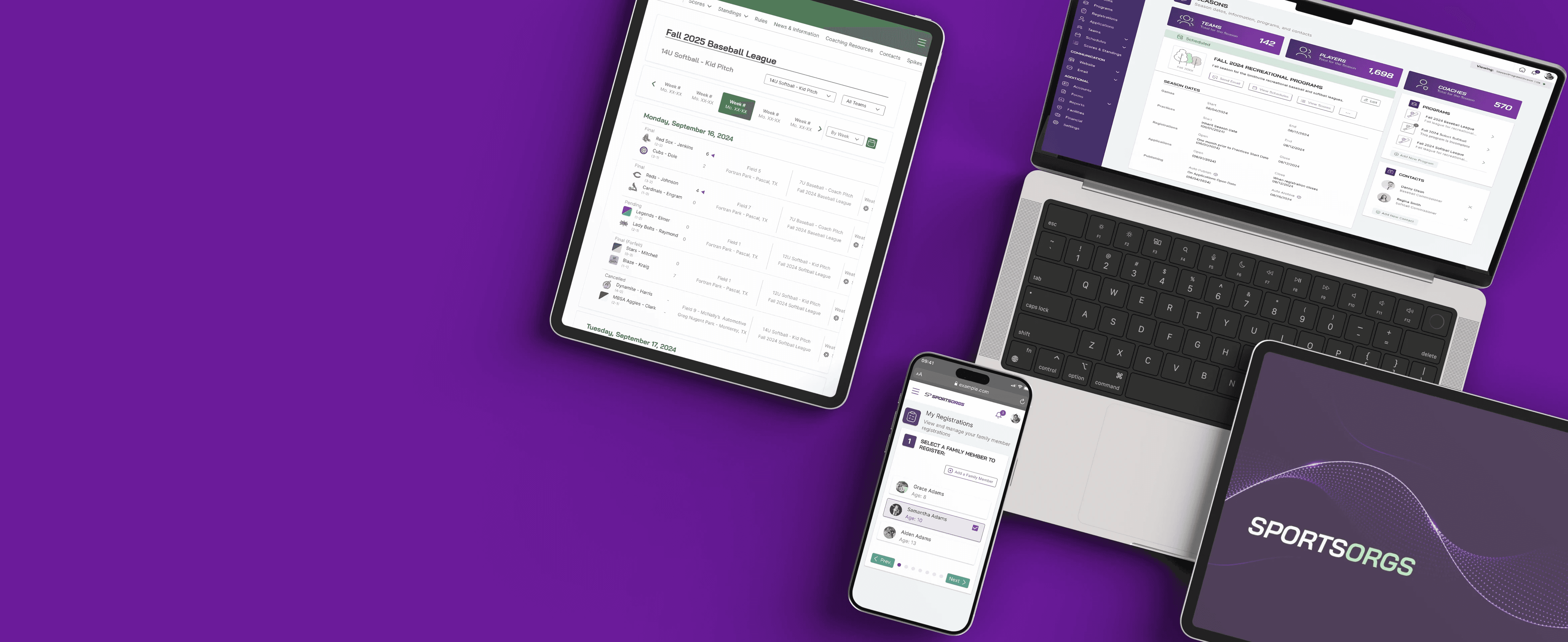
SportsOrgs is a web-based platform designed to simplify league management for youth and adult recreational sports. Built for busy, often volunteer-run organizations, SportsOrgs provides an intuitive system for handling registrations, forming teams, scheduling games, managing communications, and overseeing finances
As the design lead for UX/UI, design systems, and branding I was tasked with building the SportsOrgs pattern library from scratch, transforming discussions and whiteboarding sessions into wireframes and high-fidelity mockups, and creating a cohesive brand identity. I worked closely with the founder of SportsOrgs to ensure designs were accurately fulfilling user needs and aligning with his product vision.

The Problem
Approximately 3.7 million children aged 6-17 and 5.4 million adults in Texas* participate in some level of recreational sports.
Sports leagues require a sizable number of volunteers in areas including administration, on-field staff, and other supplemental roles with one Dallas-based league indicating they use around 900 volunteers annually.
Volunteers (often parents of athletes) can spend 10+ hours per week running sports leagues, which must be balanced around jobs, families, and hobbies.
These volunteers may lack expertise in management, tech, and/or sports.
Current platforms often feature frustrating user experiences, lack a consistent experience across the platform, and are severely outdated in approach and design.
*
Project Goals
Taking the previous information into account, the overall goals of SportsOrgs are:
Modernize : Combine automation, AI, and third-party integrations with proven real-world league practices to improve on outdated approaches from other platforms.
Save time: Simplify key workflows like game scheduling, team formation, player evaluations, and communications to reduce the time-related burdens on those managing sports leagues.
Be scalable & personalized: Create an easy-to-use interface that adapts to varying organizational needs, unified profiles, and experiences across all participating orgs.
Future-ready: Design to support evolving features and integrations over time.
Discovery
Competitive Analysis
The current landscape of league management platforms is led by five companies which hold >65% of market share in the U.S. with the remaining percentage broken up between 30+ smaller companies. A majority of these companies are 10+ years old and rely on 10+ year old technology.





The Good
"What I liked most was the email and messaging features. This goes above and beyond simply using a regular gmail account because everything is really organized, communications can be better customized."
"The reporting tools are also very powerful and provide good insight into the business. But one of my favorite features is their connectivity with my state association. It makes the registration process simple and seamless, which allows me to focus on the most important thing, which is our kids!"
"My favorite feature is realtime game updates to keep family members and team supporters in the loop. I also like that you're able to track assignments for families and availability of players. Mobile updates to schedules are instantaneously communicated."
The Not So Good
"The website UI is extremely frustrating and difficult to navigate. Account management is difficult and it took more than one hour to purchase 2 prom tickets. I was extremely dissapointed in the site and hope I never have to use it again."
"Major step down from the system they replaced. We could bulk upload roster in old system. We can not now. So much more work. Now I have to invite and keep on my parents and coaches to register. They already registered on our site, I have all the info just let me register them."
"…as a parent with multiple kids playing multiple sports it's terrible. I'm constantly getting notifications about clubs I've never been a part of. Tryin to find a way to login and manage my account has been futile."
Primary Takeaways
Users enjoyed having detailed reporting for information such as finances and registrations
There is a distinct need for optimization and modernization of league management platforms UX and UI especially in regards to automating time-consuming processes.
Both admins and parents alike want reliable and customizable communications methods.
Current platforms often lack unified profiles and experiences across all of their respective organizations, complicating platform management and compromising the cohesiveness of their brand identities.
User Personas

Primary Takeaways
100% of individuals interviewed who held an admin role reported frustration with a process of their current platform which could be solved through automation.
Saving time for app users was already a primary goal but, based on interviews, we came to understand the most time-consuming tasks from an admin perspective: Schedule creation/management, team formation, and registration.
We also came to understand that, while some admins were capable of building out extensive spreadsheets for the aforementioned processes, others lacked tech literacy, sports knowledge, and management experience. SportsOrgs needed to provide solutions which would provide flexibility and familiarity to the former while remaining easy to understand for the latter, and ultimately saving time for both.
Planning
Strategy
Mission Statement
Enhance the impact of sports by empowering organizations, coaches, athletes and their families.
Our vision is to create the best sports league management experience so that organizations can focus on what’s important: delivering life-changing opportunities for all generations of athletes.
Structure
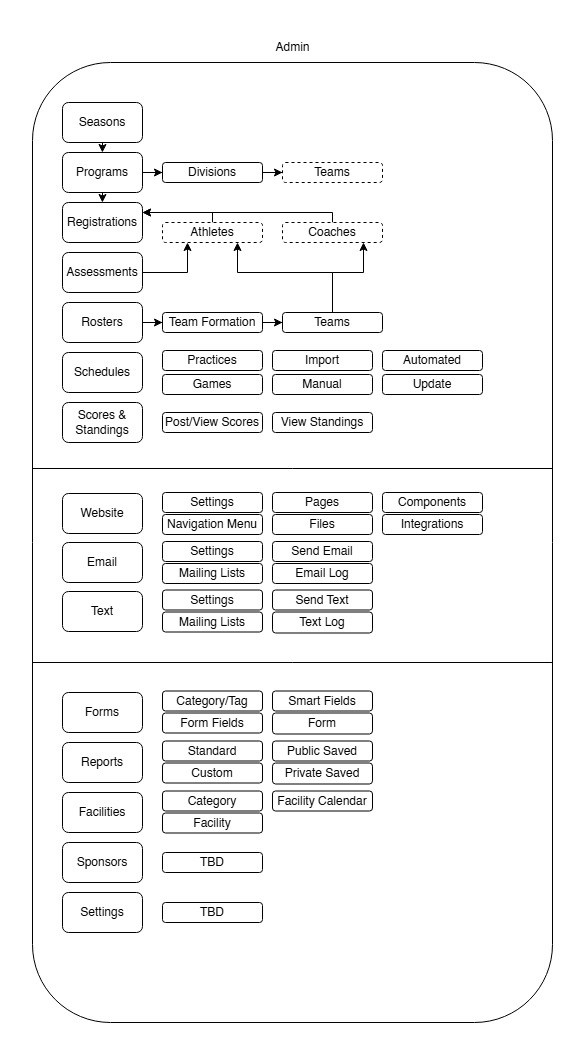
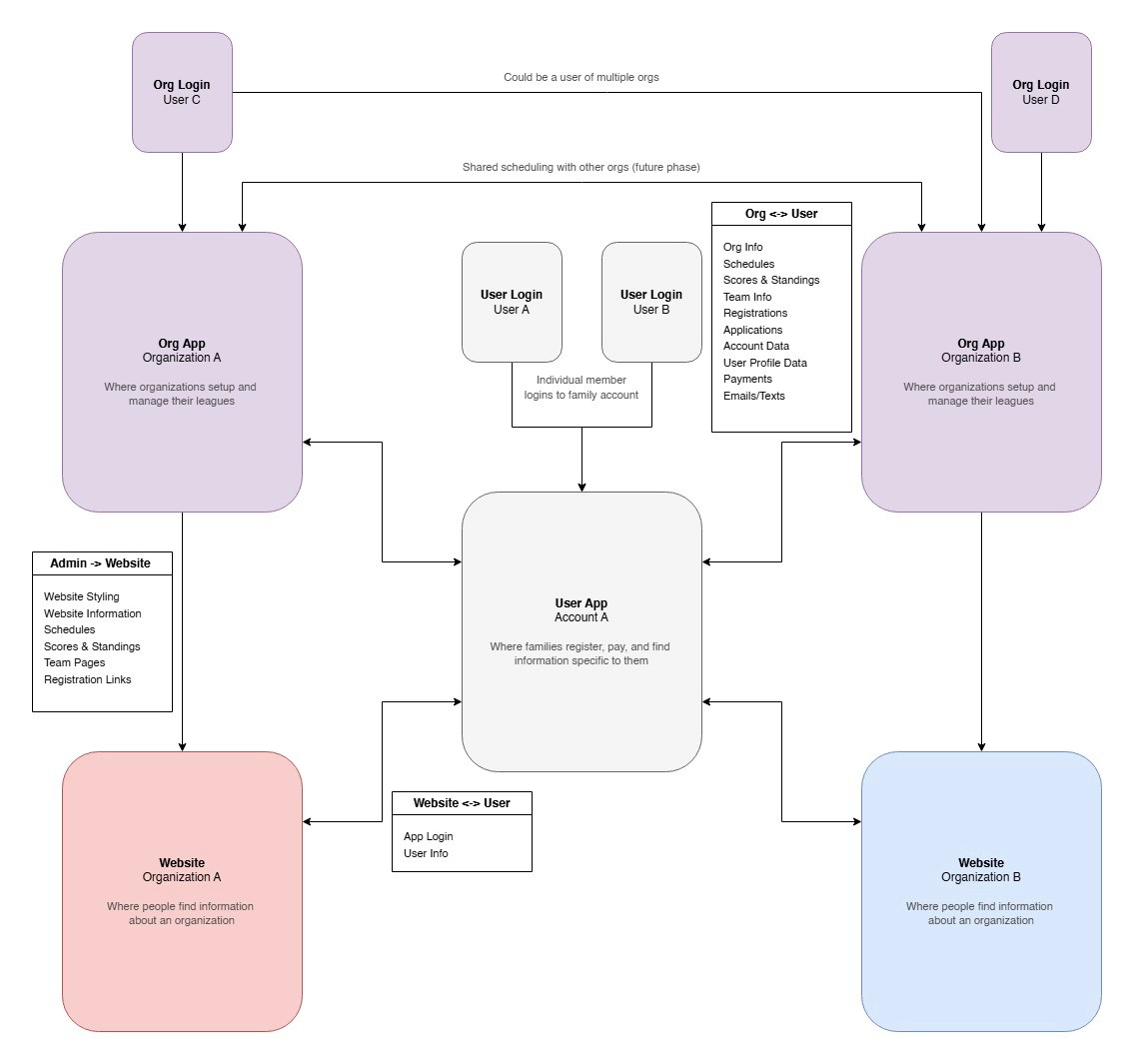
The app's structure would be split into an Admin and a User app with tools built to each of their needs.
Tables would require detailed and customizable filtering which would allow users, particularly admins, to show the information most relevant to their particular needs at any given time.
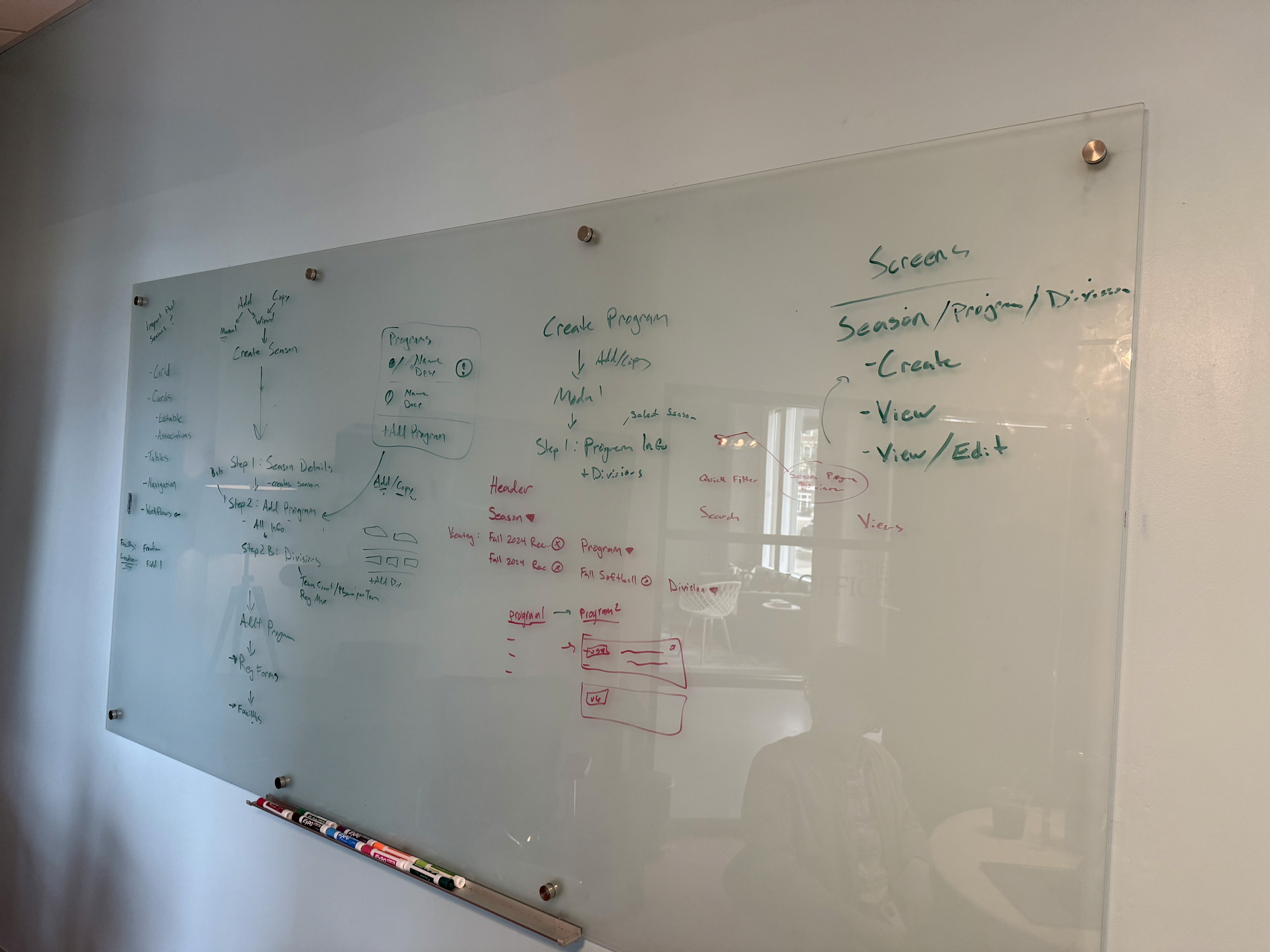
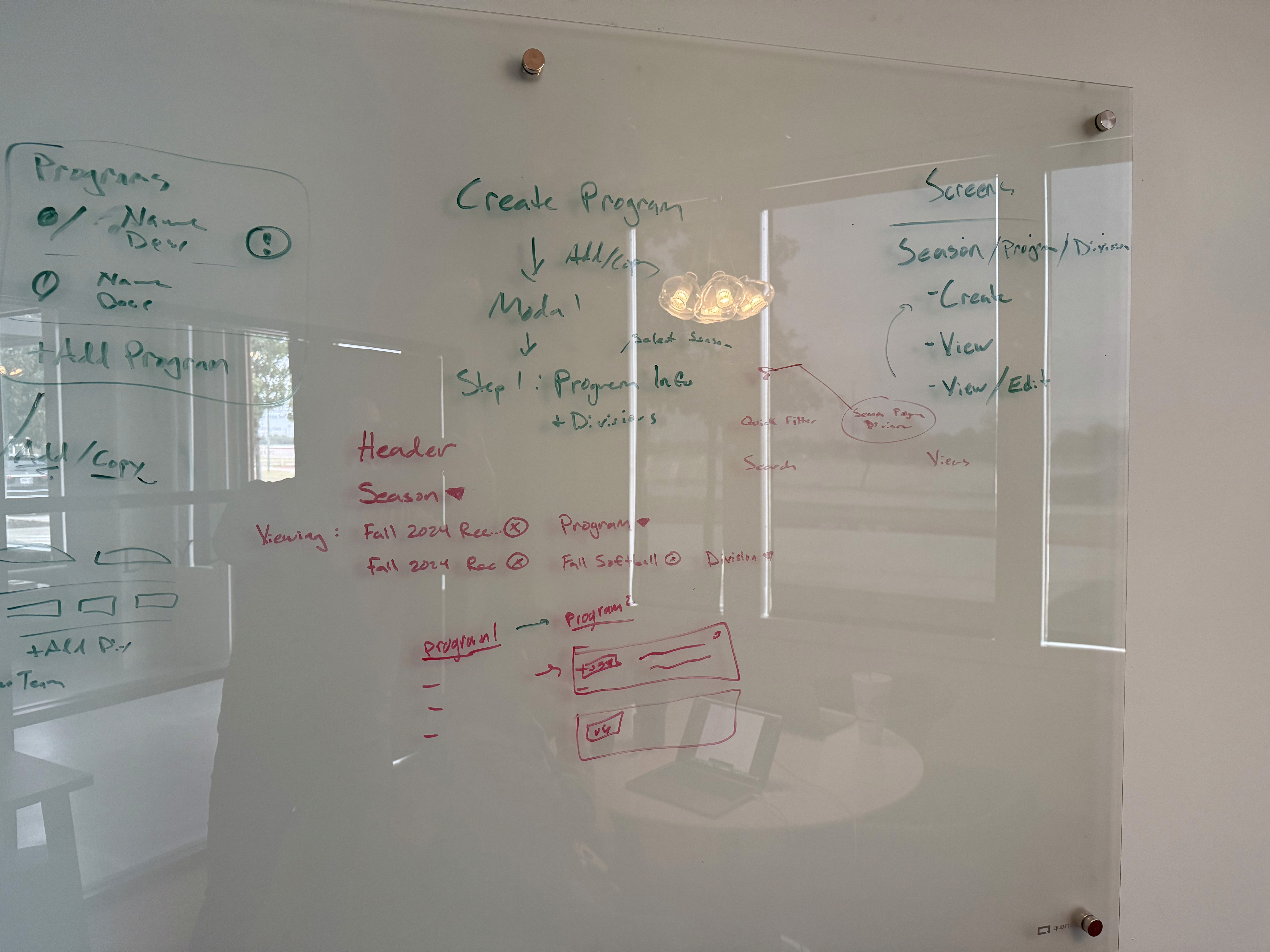
Instead of having to drill down into a particular division each time you accessed the app, SportsOrgs will utilize persistent, full-page filtering that would remember your most recent view and reduce extraneous information.
Flow
Whiteboarding
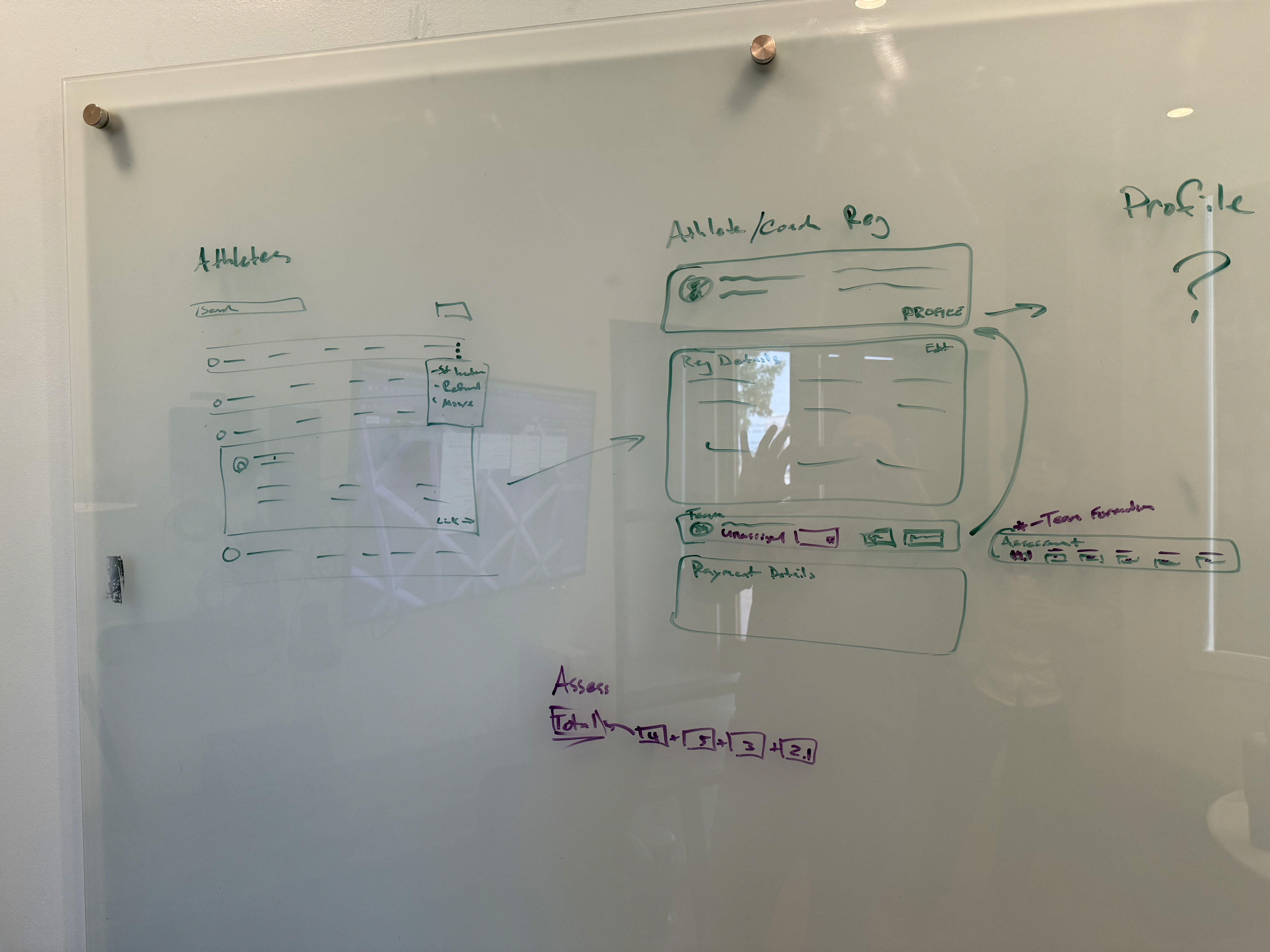
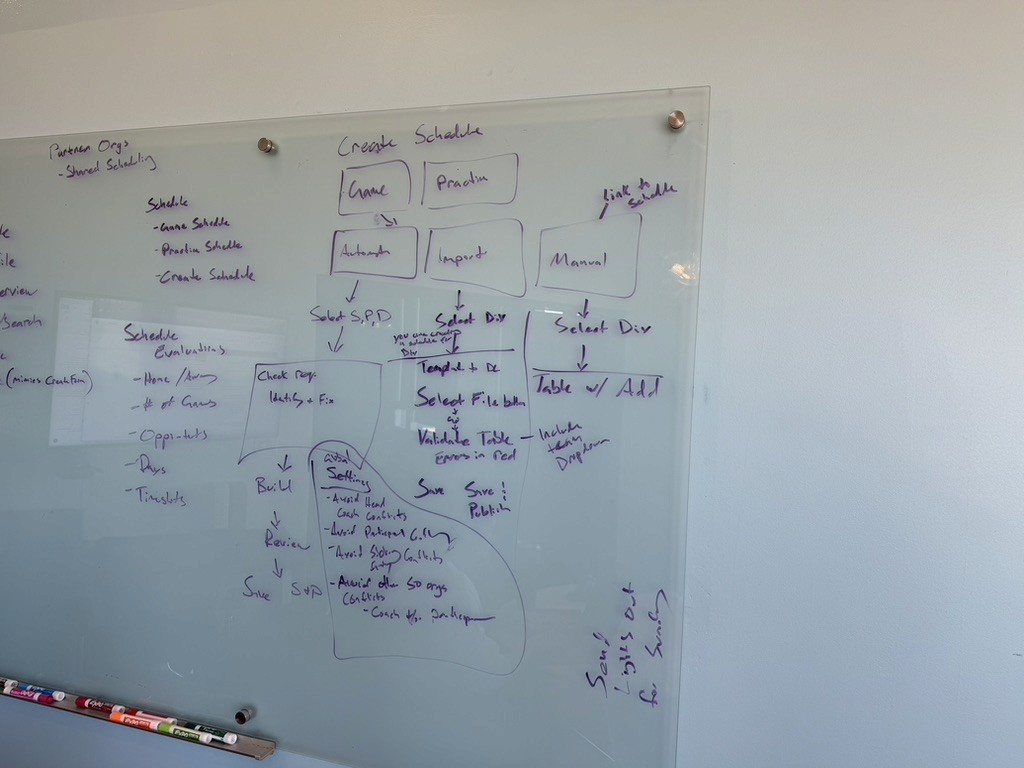
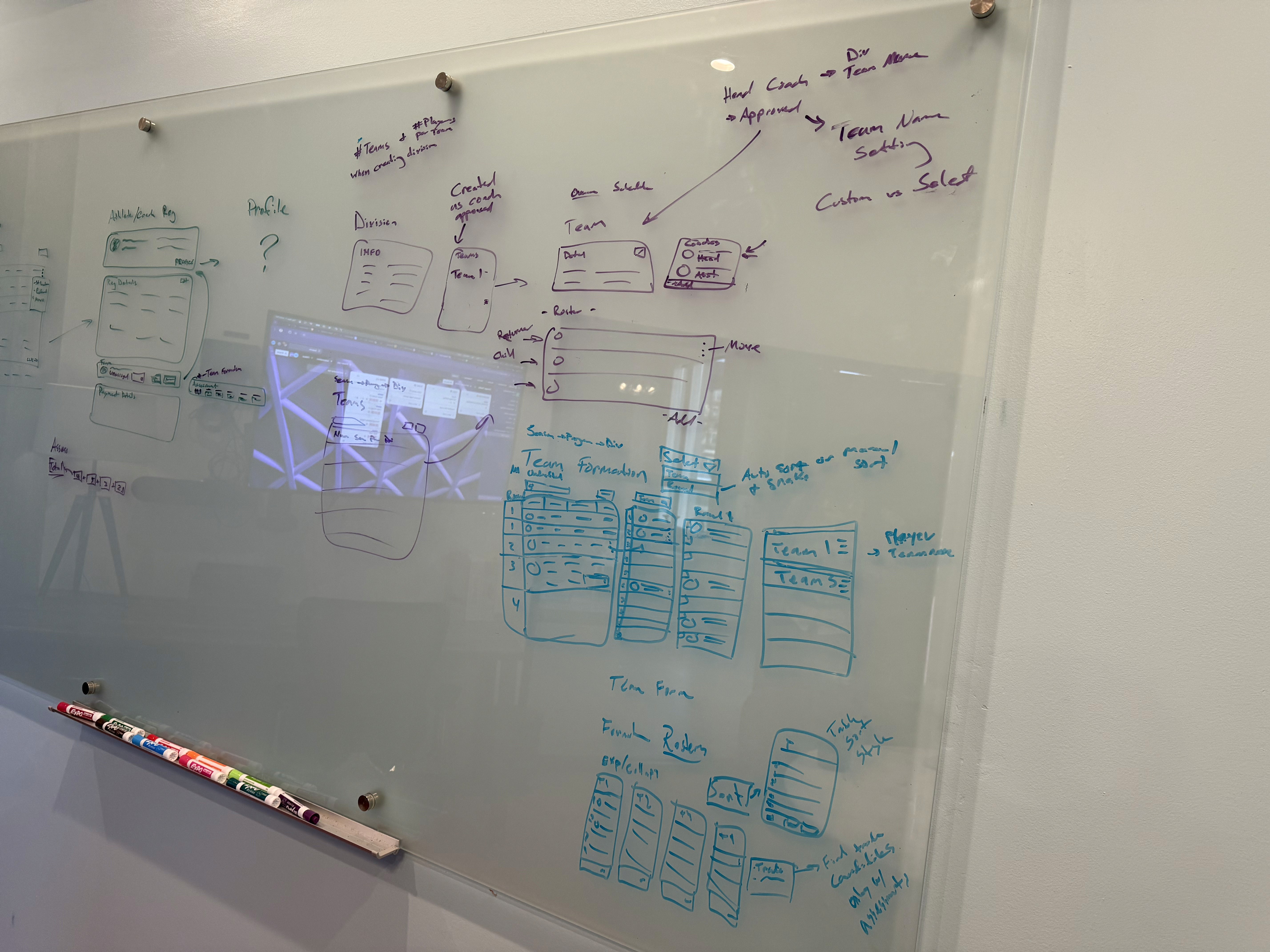
Over the course of several whiteboarding sessions, we created initial designs and flows for much of SportsOrgs.

Branding
Brand Identity
Branding Analysis
Another consideration was the brand identity of other platforms. I found that a vast majority of the 30 league apps studied ( ~70%) utilized a color scheme with some variation of blue or navy. Other platforms also typically lacked a compelling visual identity.
SportsOrgs Branding
The founder of SportsOrgs came in with an existing logo design and wanted a purple dominant color scheme to differentiate it from other platforms. My tasks were to create a cohesive color scheme, font selections, and begin to establish a brand identity.
The main pillars in constructing the initial brand identity were to make it professional, dynamic, and modern to reflect both the product and the identity of the athletes it ultimately seeks to benefit.
Color Scheme
#21094E
#6A1B9A
#2E7D79
#FFBA4D
Fonts
Design System
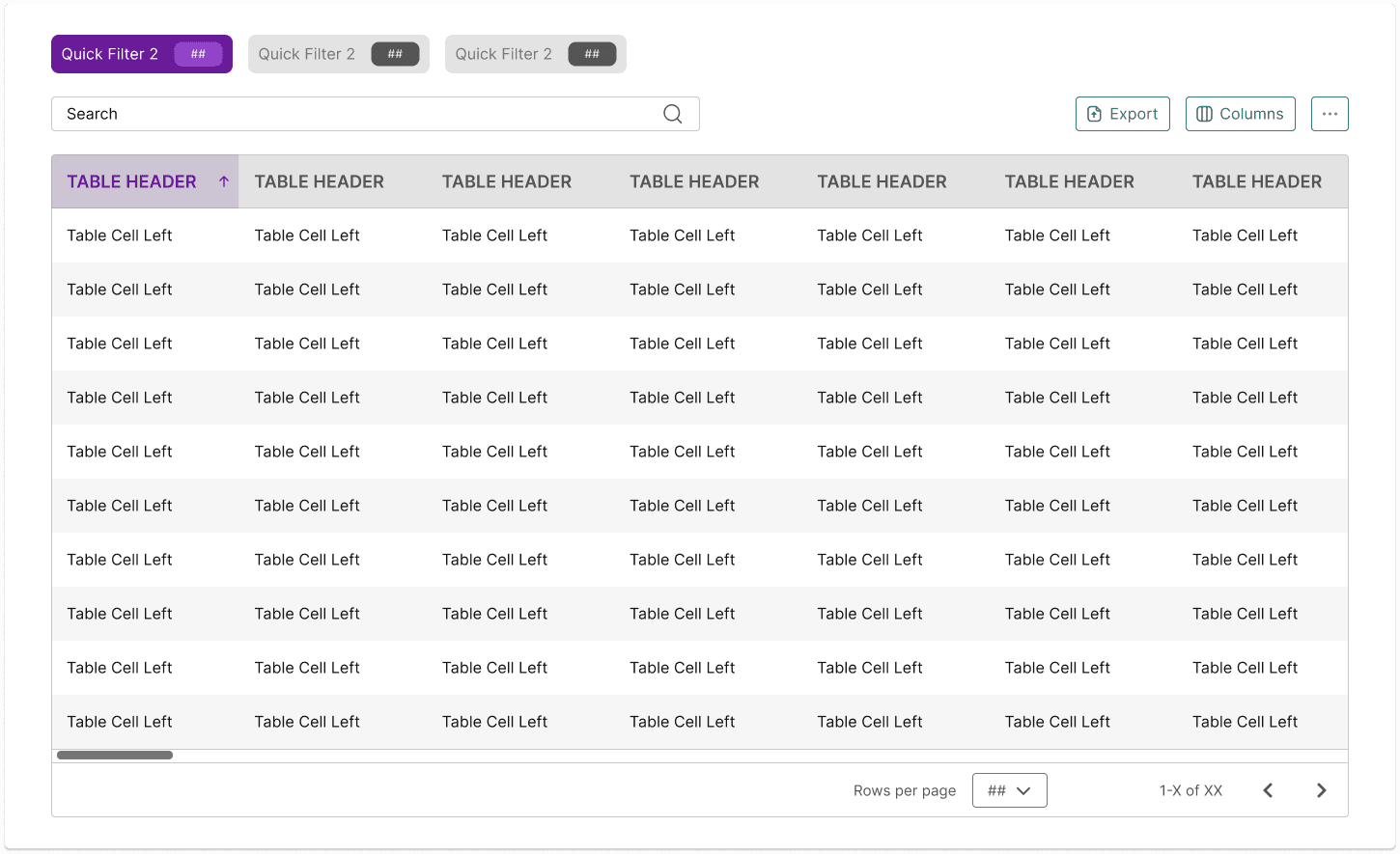
To ensure design consistency, scalability, and ease of use across the entire platform, I built a robust Figma design system containing 563 reusable components. This comprehensive library covers everything from an icon library to buttons, chips, dropdowns, tables, cards, modals, and many others. This library allows SportsOrgs to maintain a consistent look and feel across all screen sizes while acting as a foundation for further growth and development of the platform.
Minor Elements
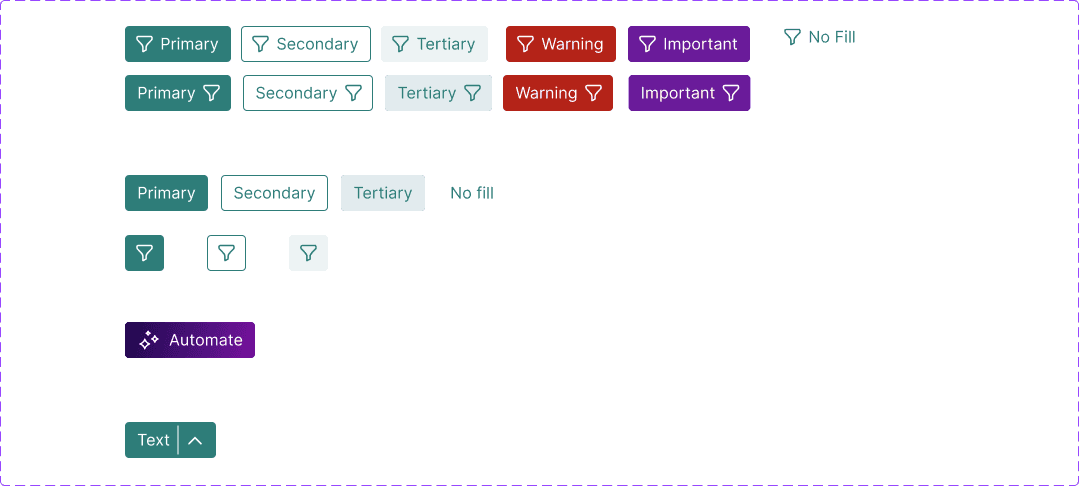
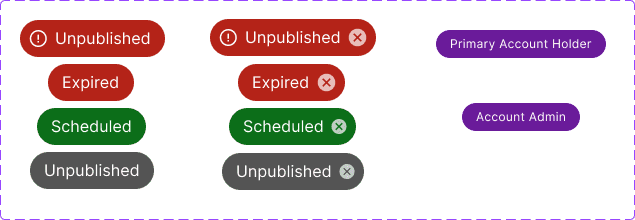
Examples of several minor elements (standard buttons, chips, and radio buttons).

Compound Components
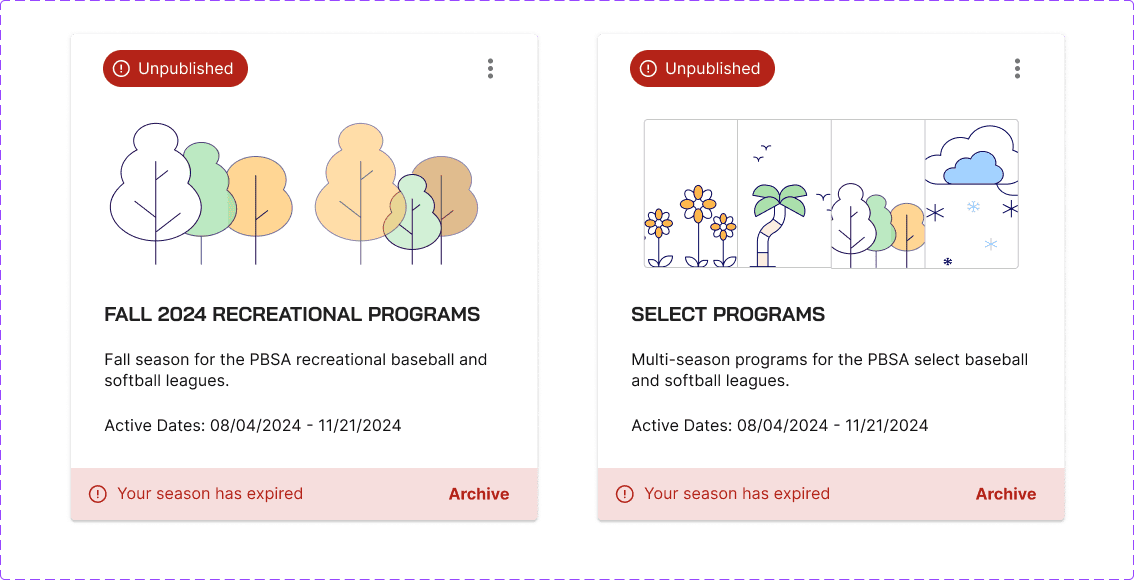
Examples of components that feature heavily in the app with several changeable states and variants (Season cards and a standard table).
Design
From Spreadsheets to Solutions
Previously, league admins have been forced to spend large amounts of time manually completing processes like forming teams or schedules in Excel spreadsheets like those shown. This also highlights how lacking existing tools have become given that spreadsheets were viewed as a preferable approach.
My design solutions combines AI/automation-driven solutions with a wizard-based approach that removes redundancies, creates a more efficient workflow, and makes the process easy to follow for those who many lack expertise. By removing front-end complexity users will save time and feel more confident in their league managing capabilities.

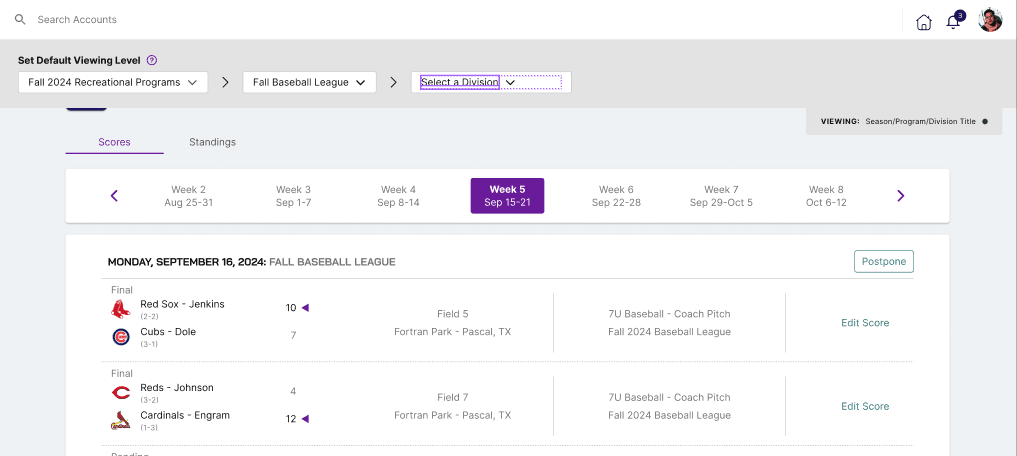
Full Page Filtering
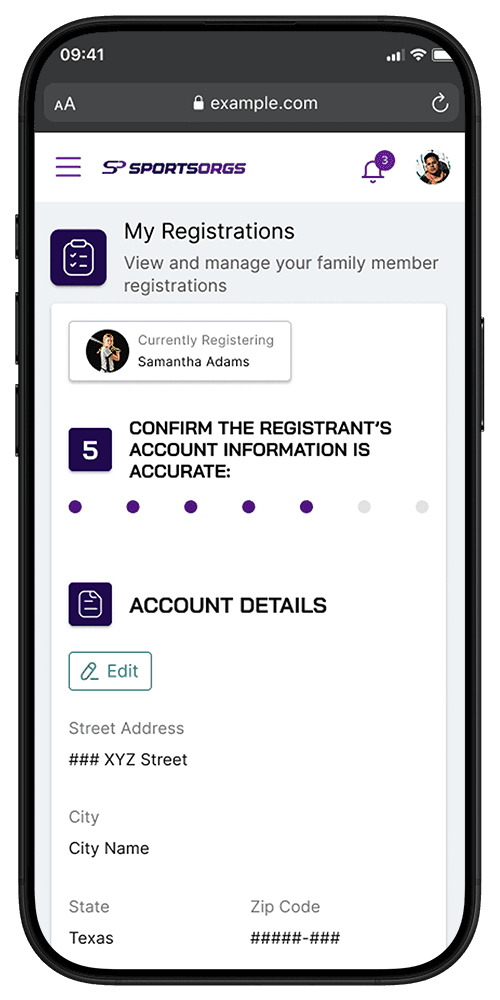
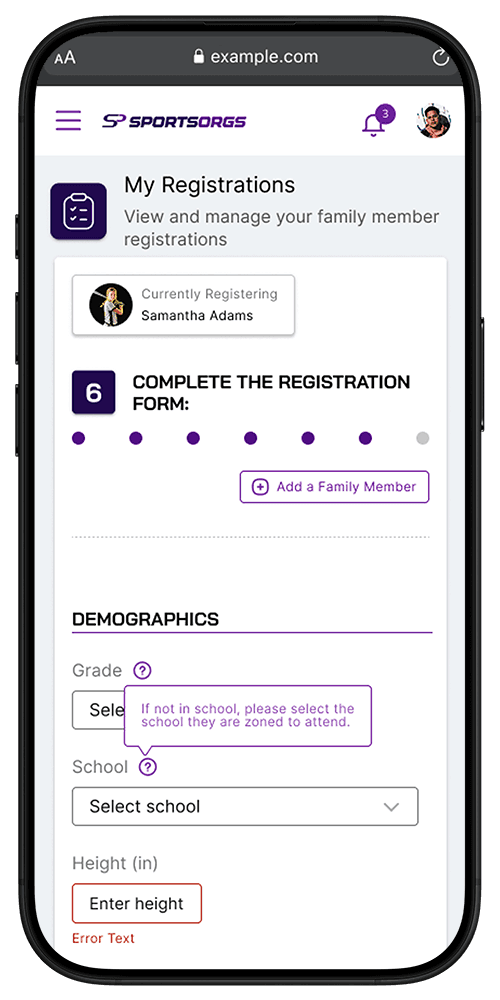
Other platforms typically required drilling down into a particular division each time that filtering was required on a page. They also would not save progress requiring the same filtering to be repeated each time a page is accessed. When dealing with large databases of players and teams as a league admin this can significantly slow things down and lead to a frustrating experience.
To solve this SportsOrgs utilizes a persistent filter bar at the top of any page which features tables or information contained within a particular Season. This filtering also remains active when you leave a page or even the app itself. This allows users to quickly pick up where they left off or carry out tasks for a particular season, program, or division, across multiple pages.



Automated Team Formation Flow
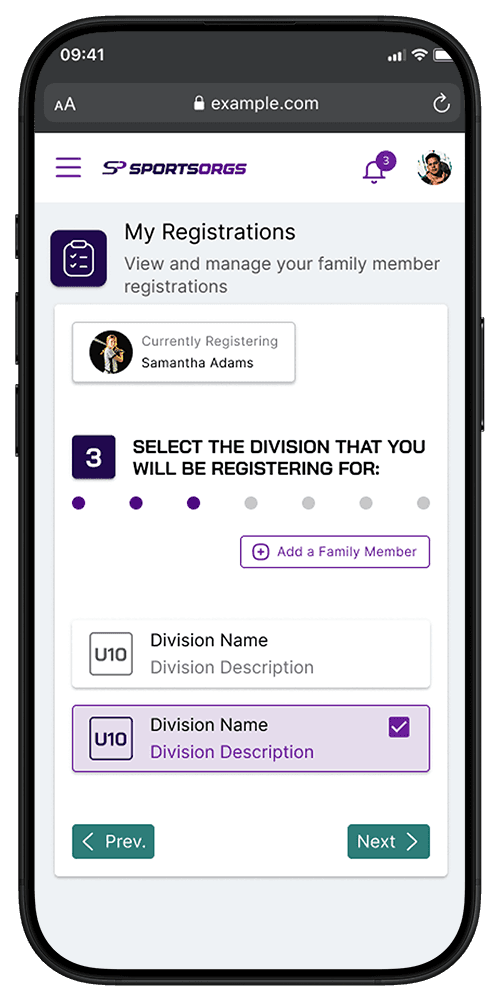
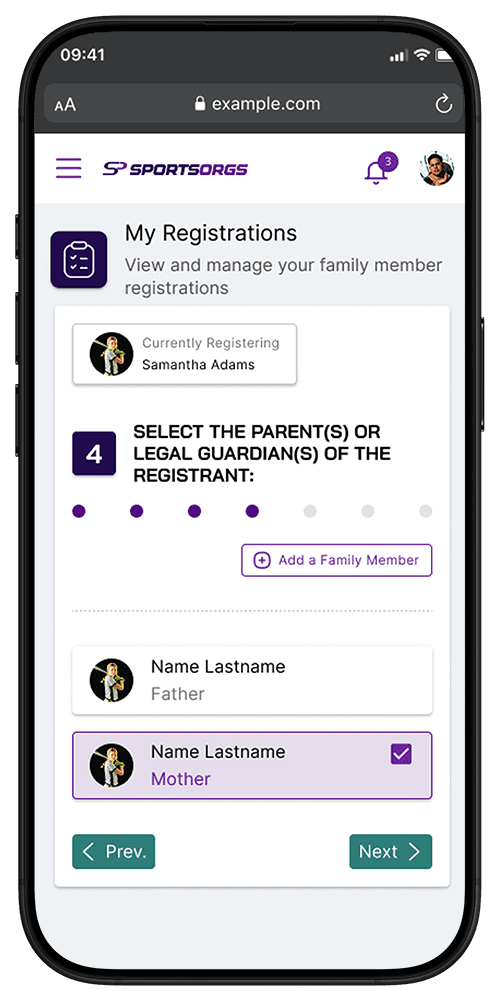
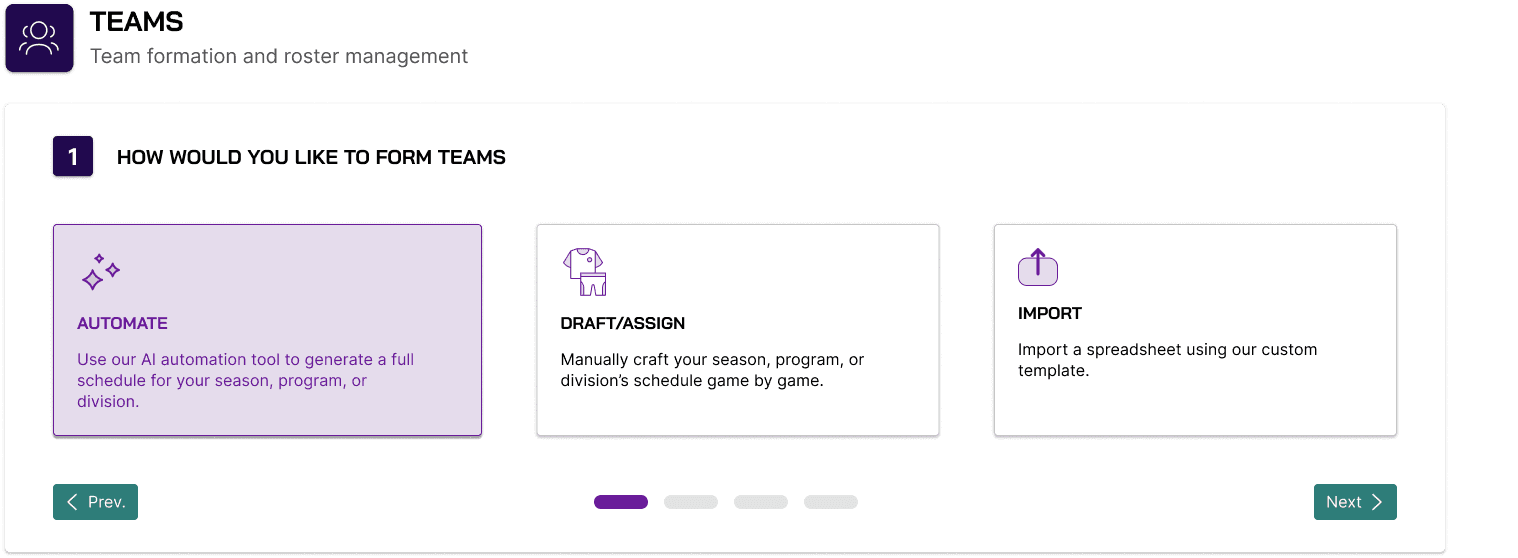
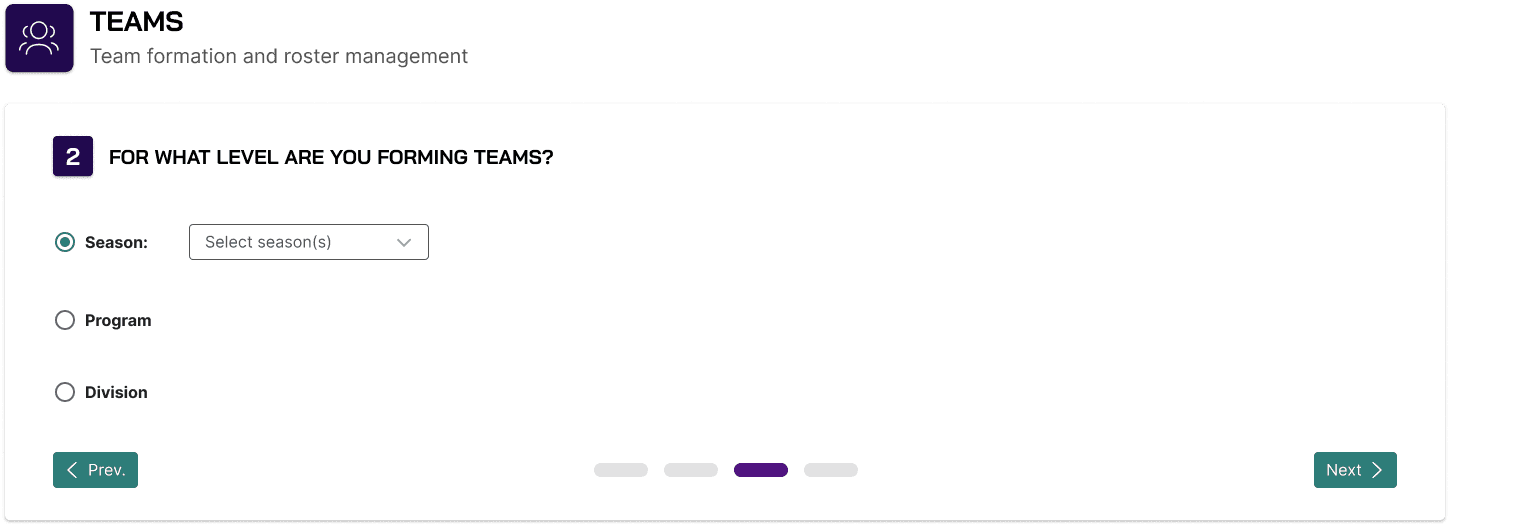
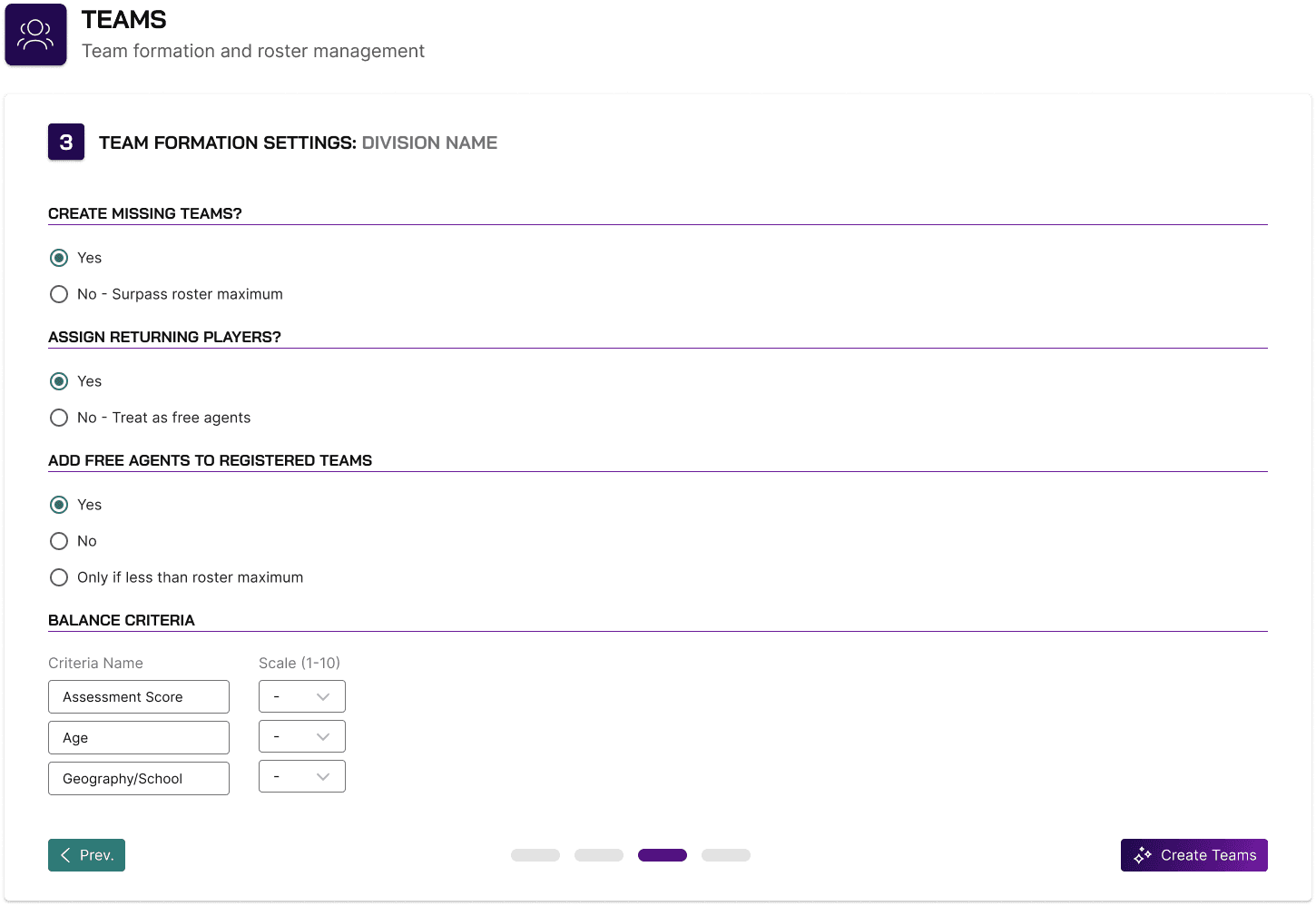
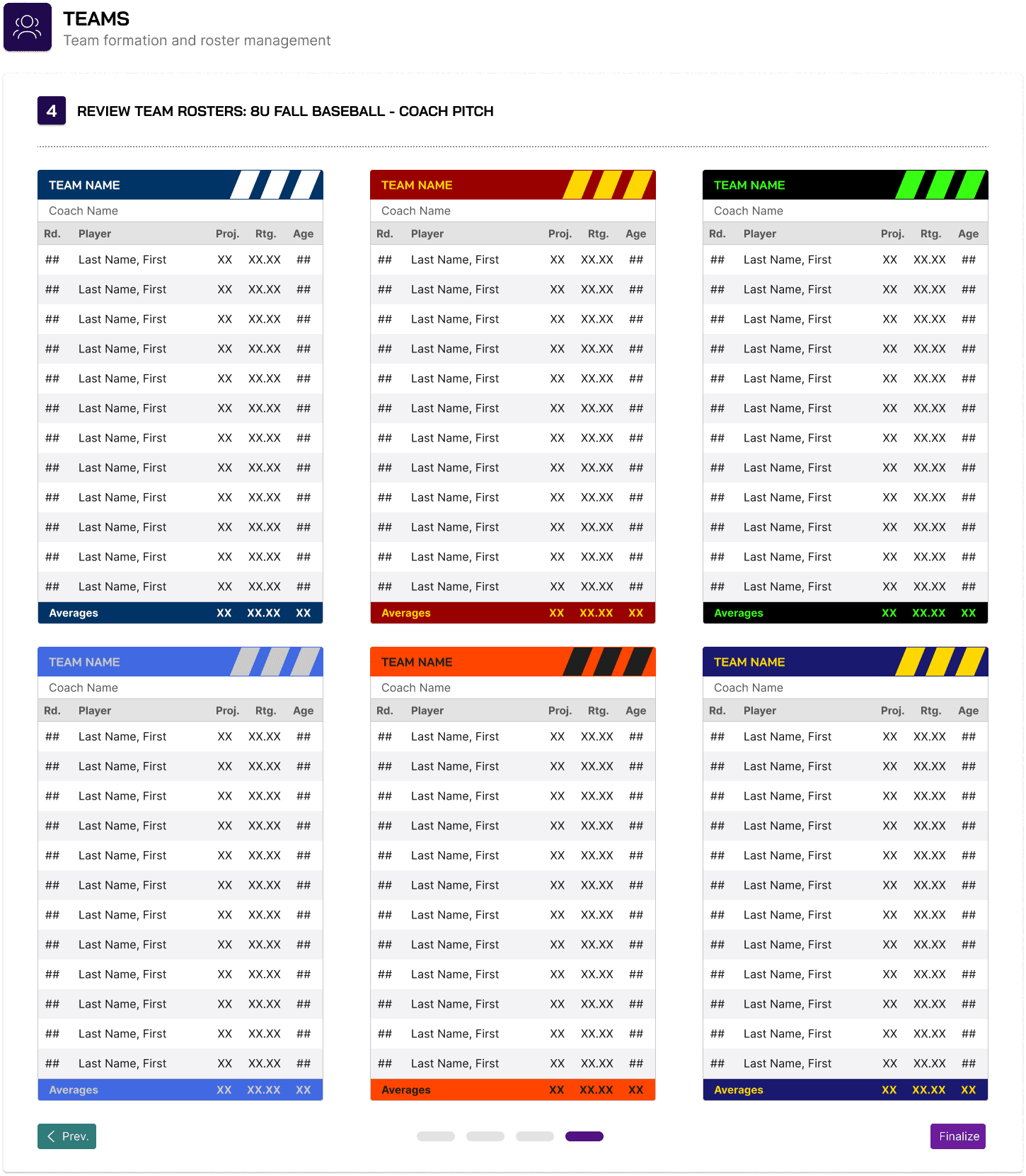
Rather than relying on large and cumbersome spreadsheets of hundreds of players that must be organized into teams, I created a flow to highlight SportsOrgs' automated process.
It takes into account information that league admins will enter for their season as well as information from each player's registration such as whether they are a returning player, whether they have any preferred teammates, and any potential scheduling conflicts.
Team Formation
Drafting Teams
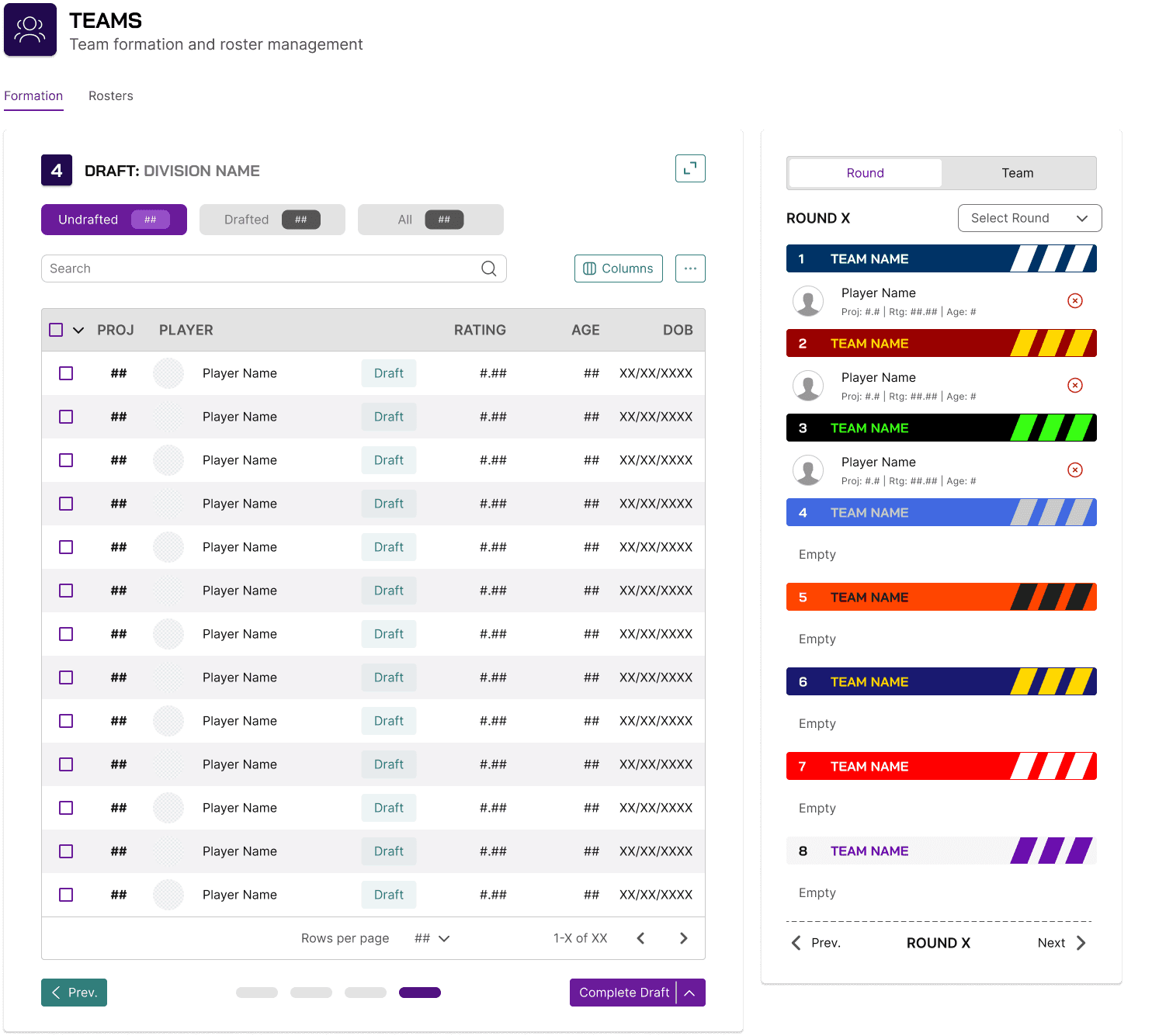
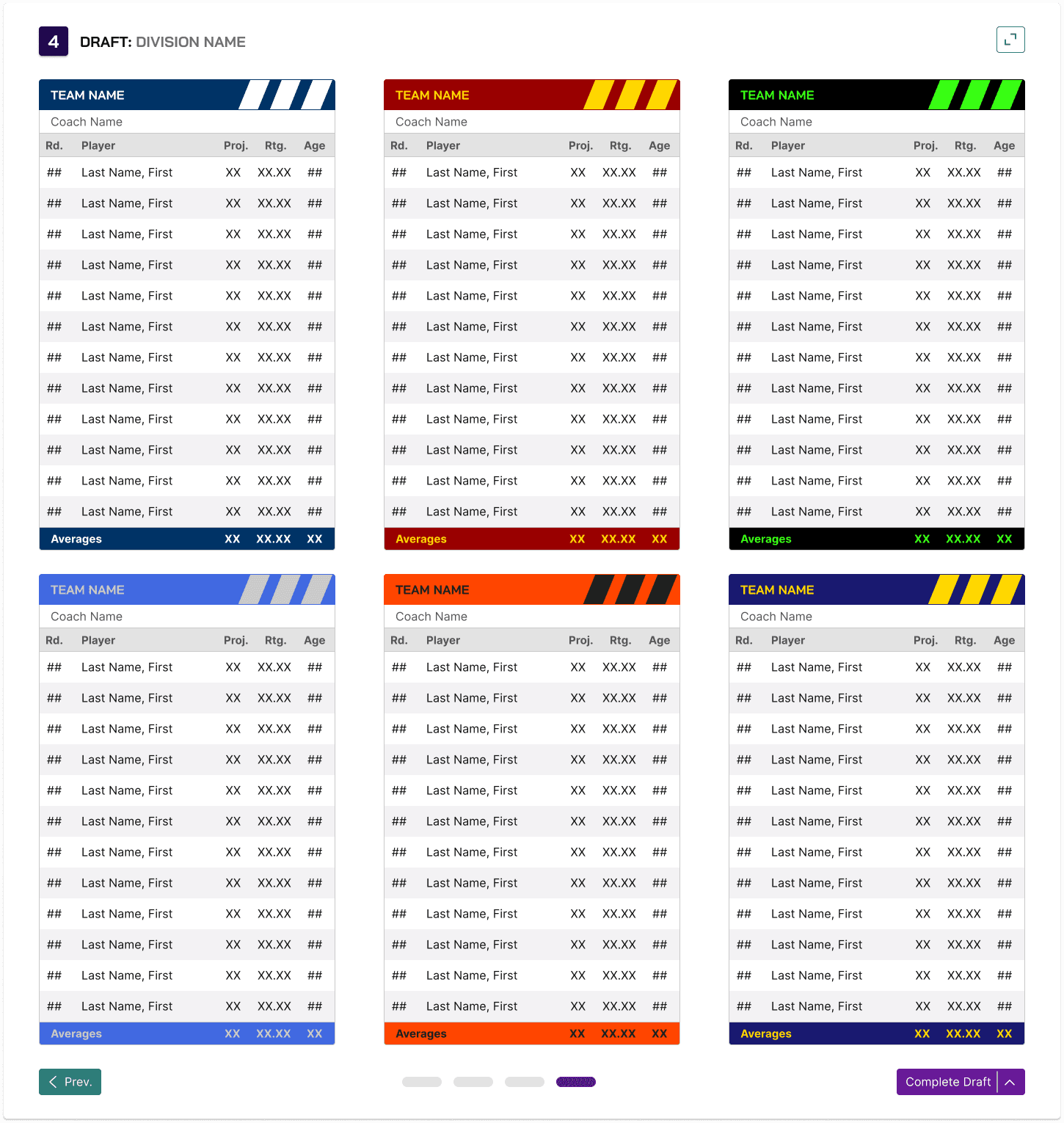
In addition to our automated process, we wanted SportsOrgs to allow league admins to experience a more interactive and unique team formation process. I created these draft screens where league admins and coaches can emulate professional sports drafts in selecting players for their teams.
Schedule Management
Scheduling with the Admin App
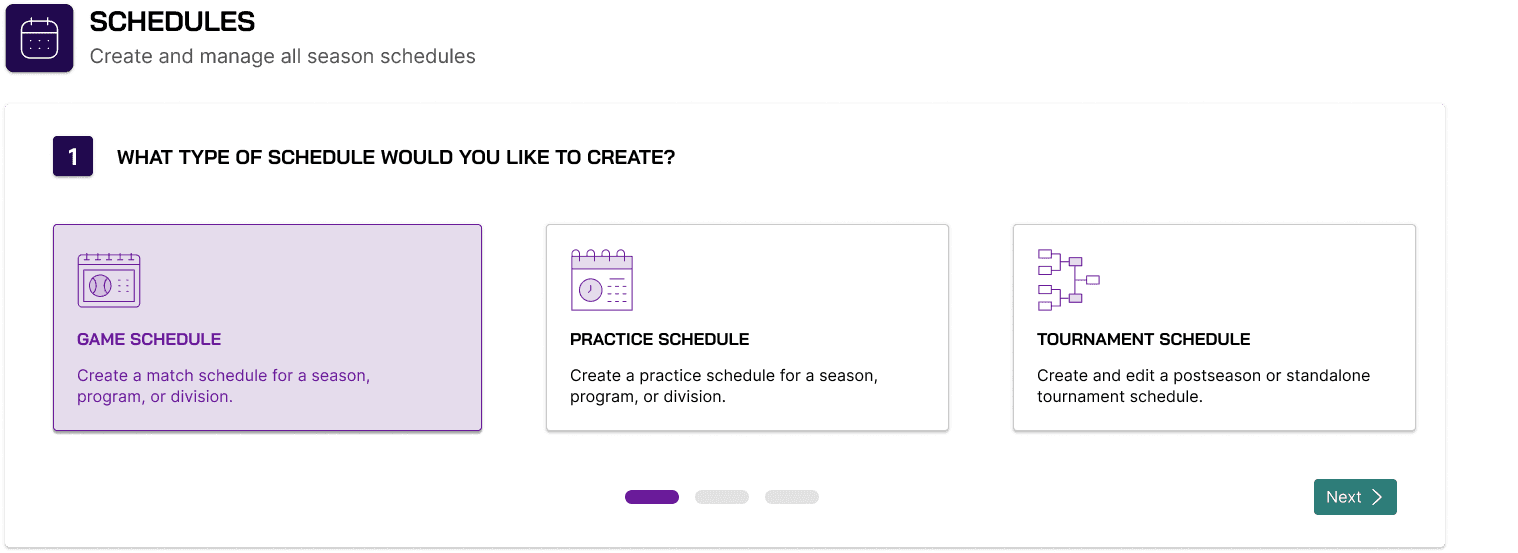
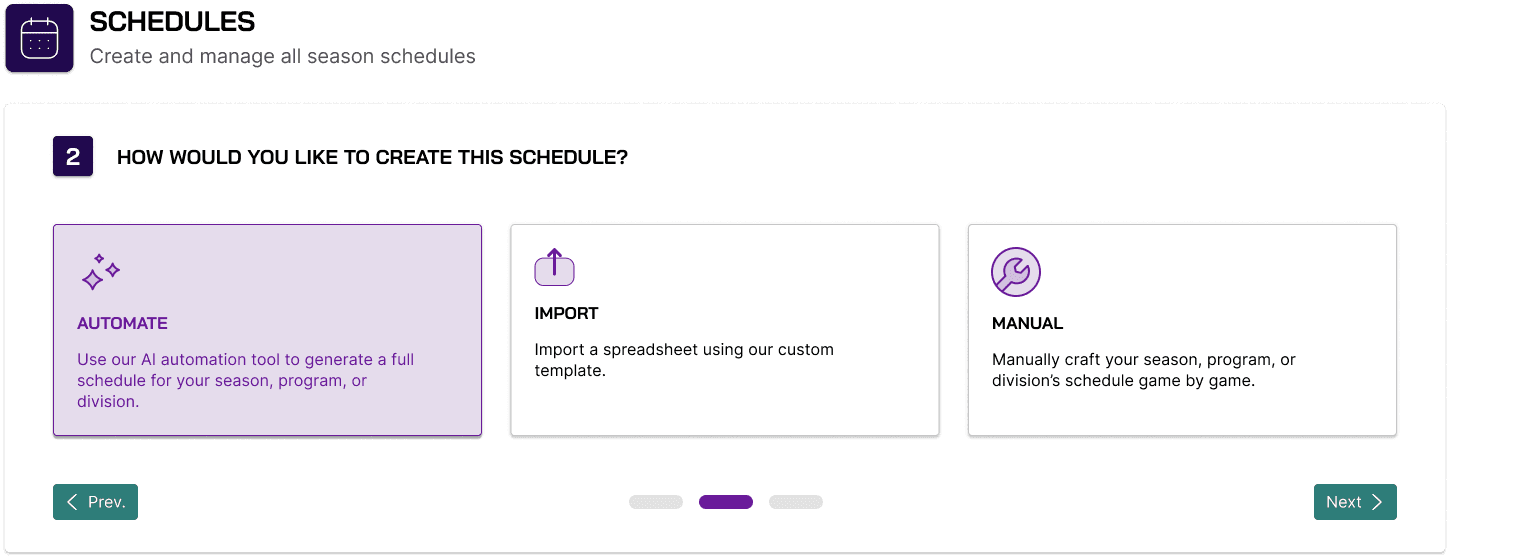
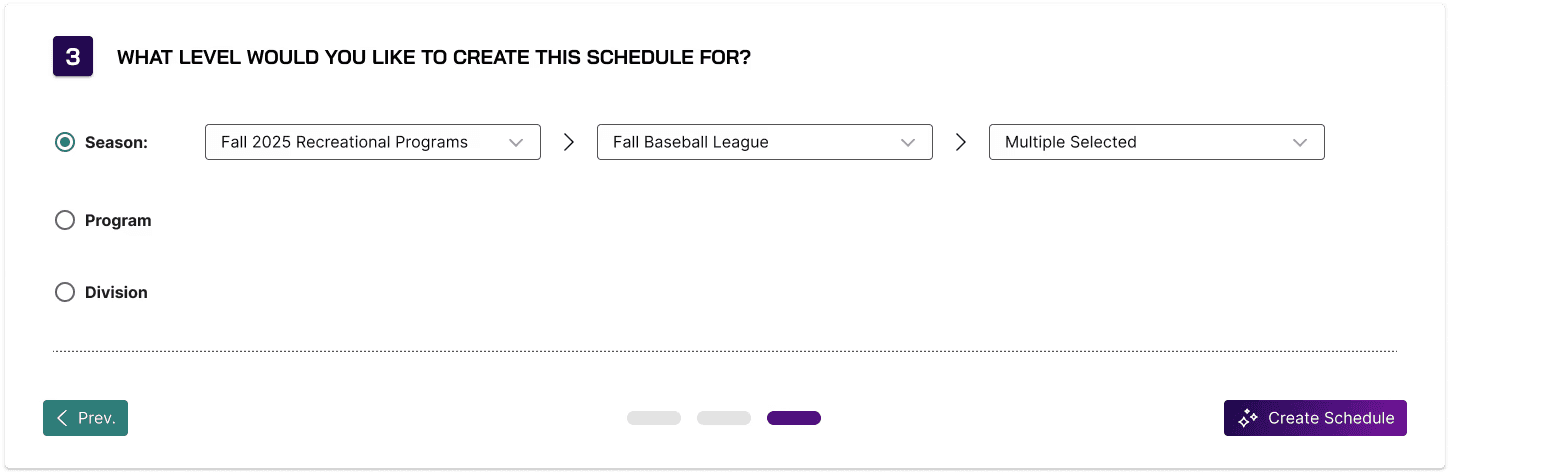
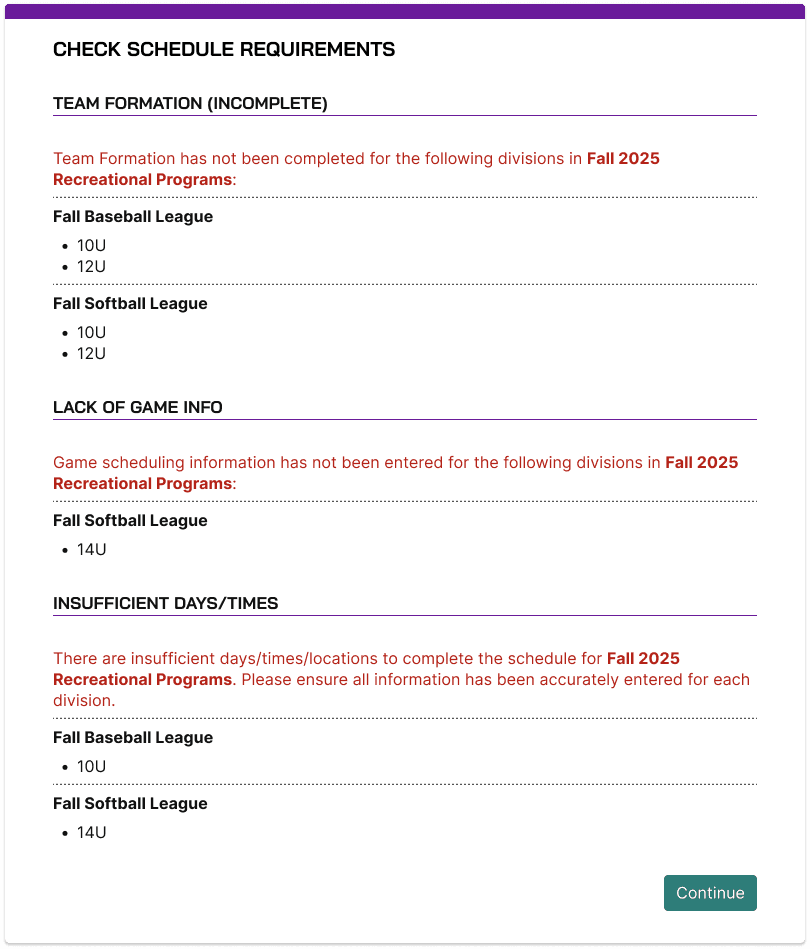
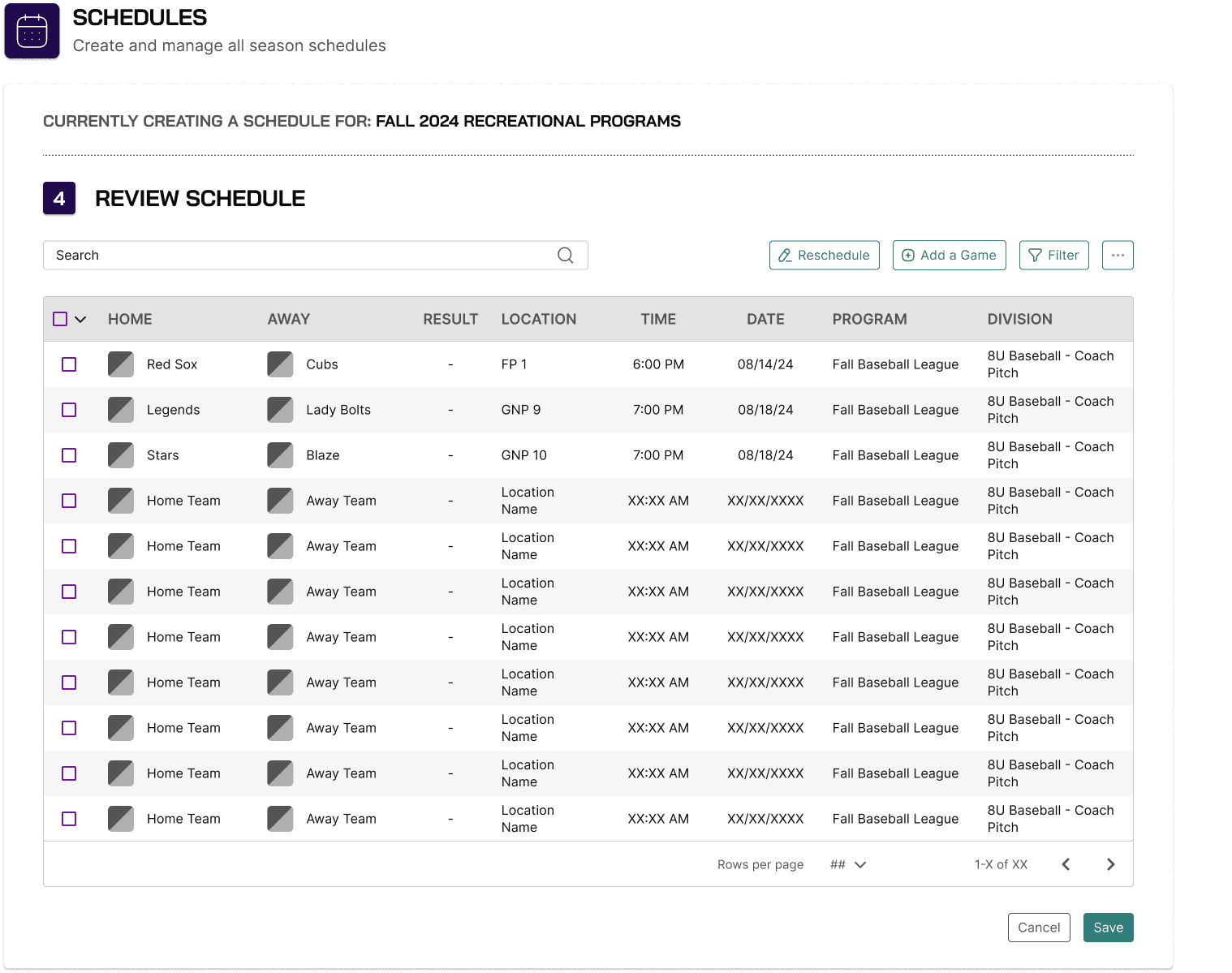
Once users have completed their player registrations, team formations, and available facilities, they can choose to have SportsOrgs automatically generate a schedule for a season, program, or division.
Users can also choose to upload a schedule using the custom SportsOrgs Excel template or manually schedule games if they prefer.
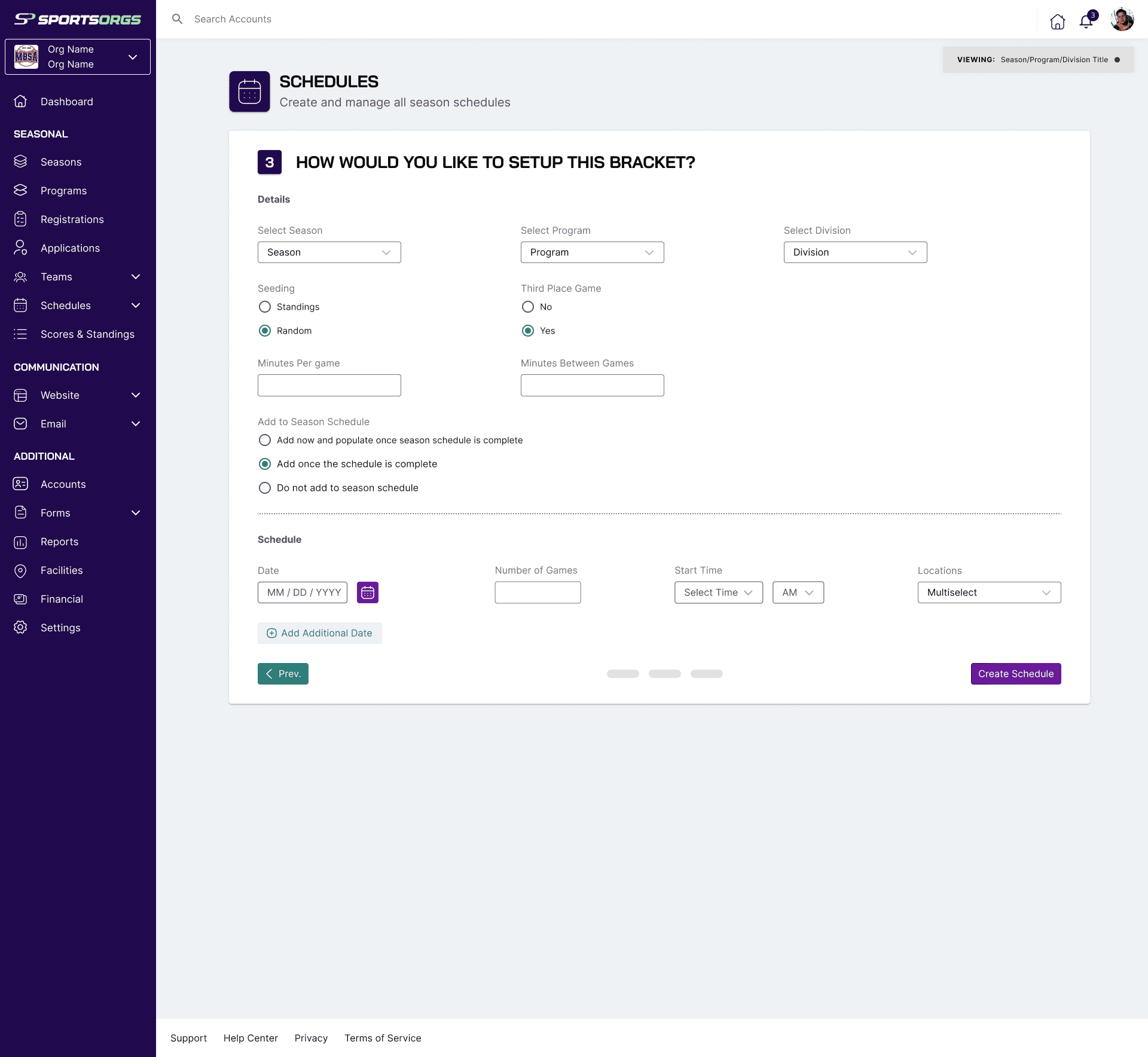
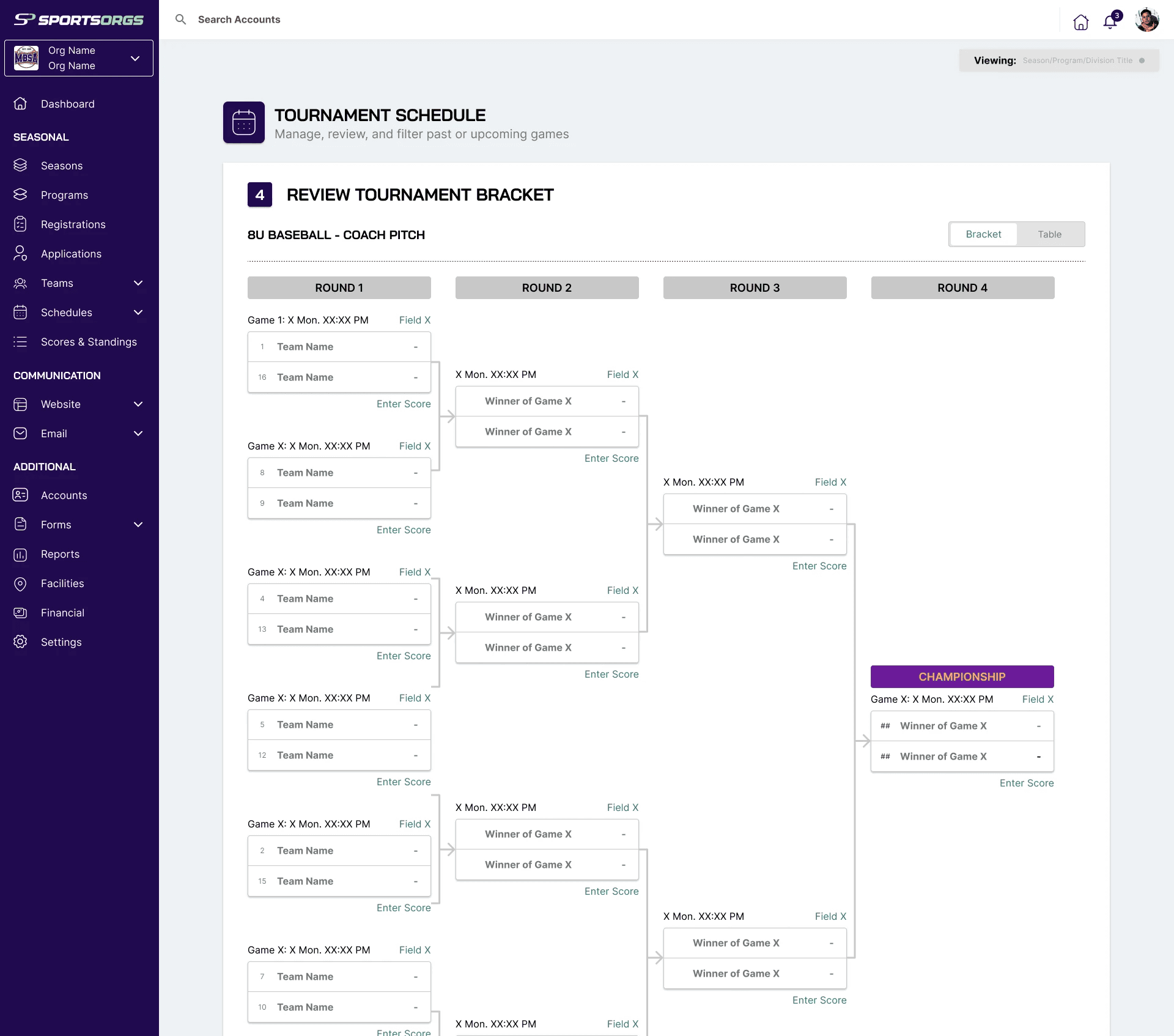
In addition to game schedule, users can also create practice schedules and tournament brackets.
Automated Schedule Flow
Creating a Tournament Bracket
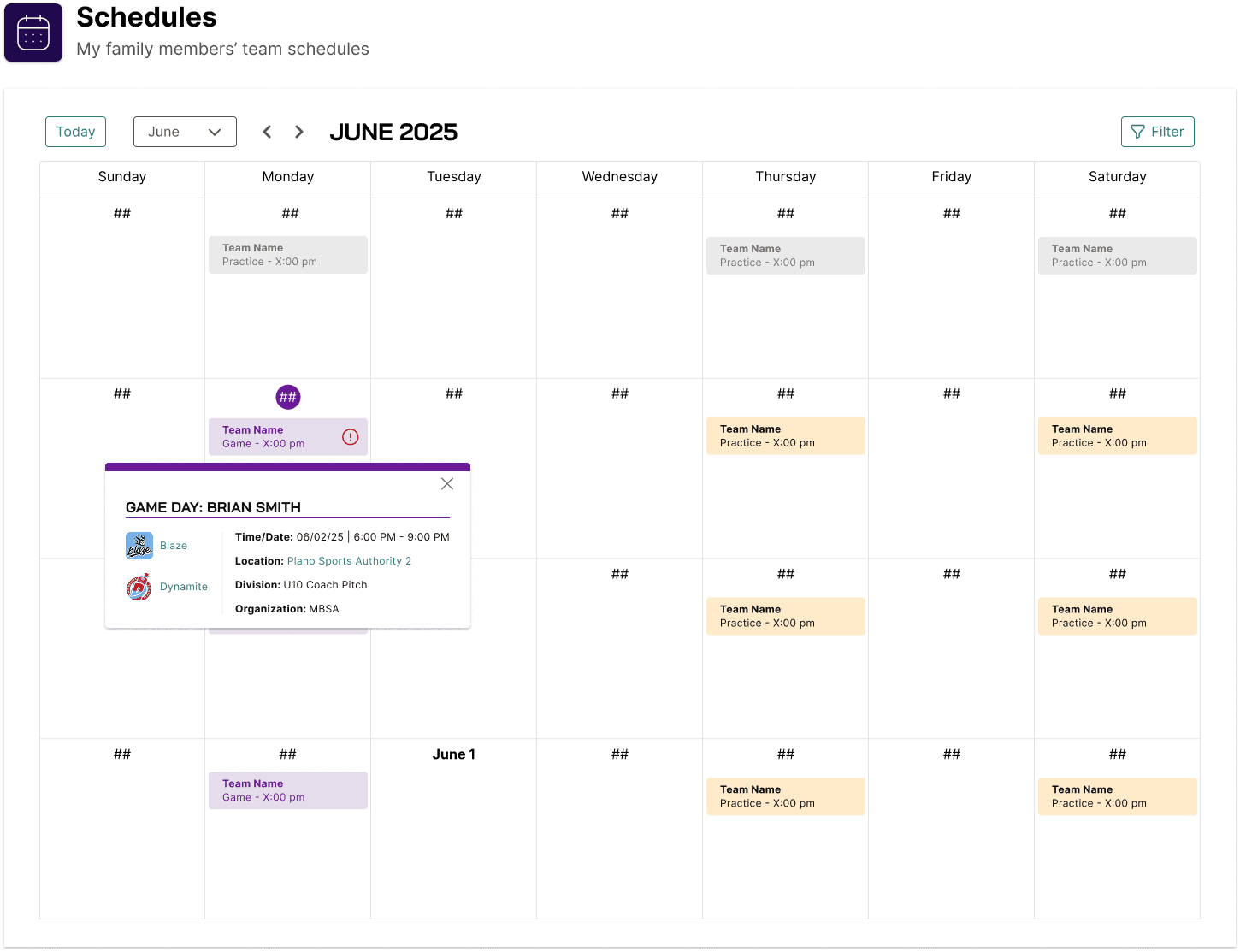
Scheduling with the User App
Allows parents to review upcoming games or practices as well as notifying them of any postponements or cancellations.
Communications
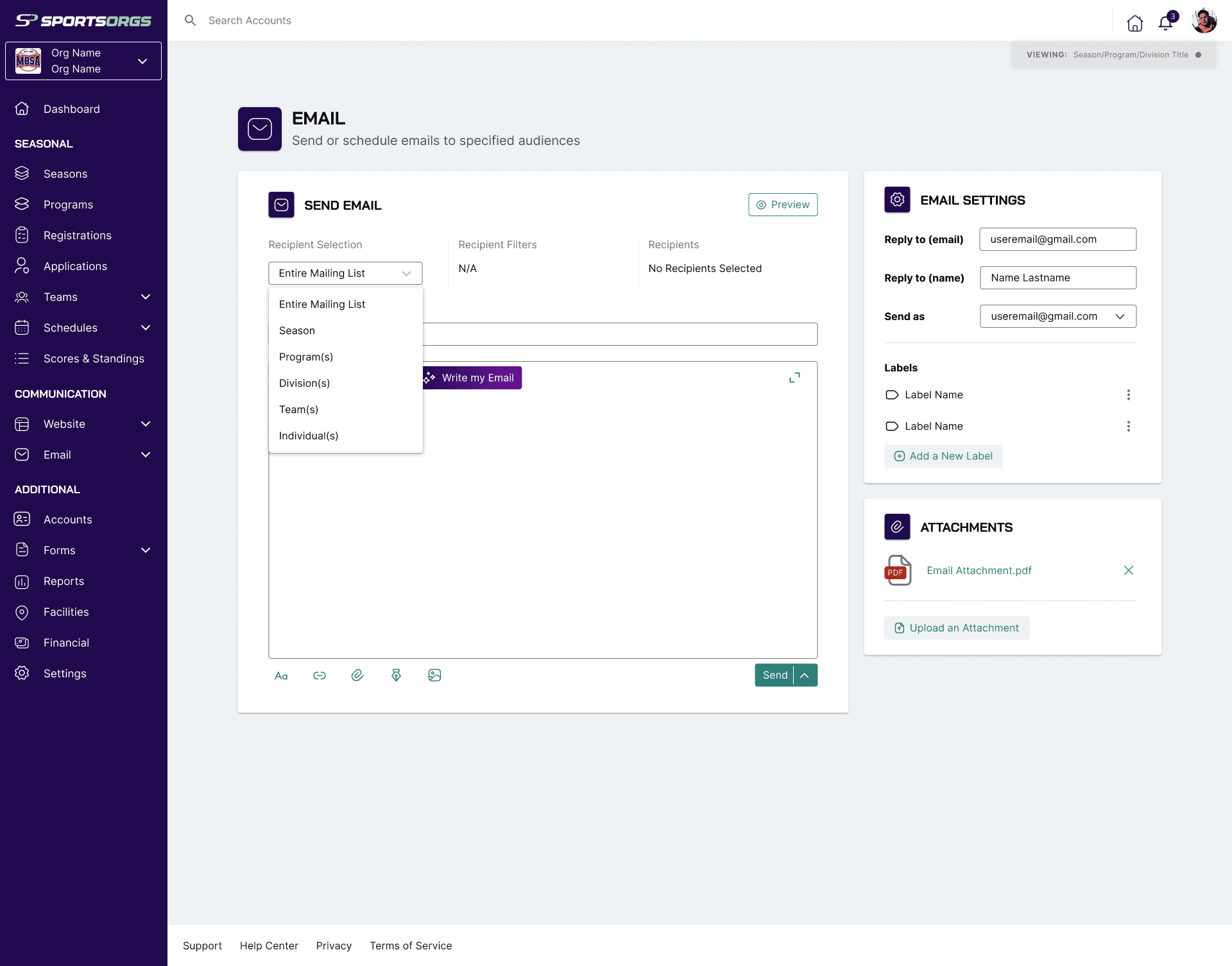
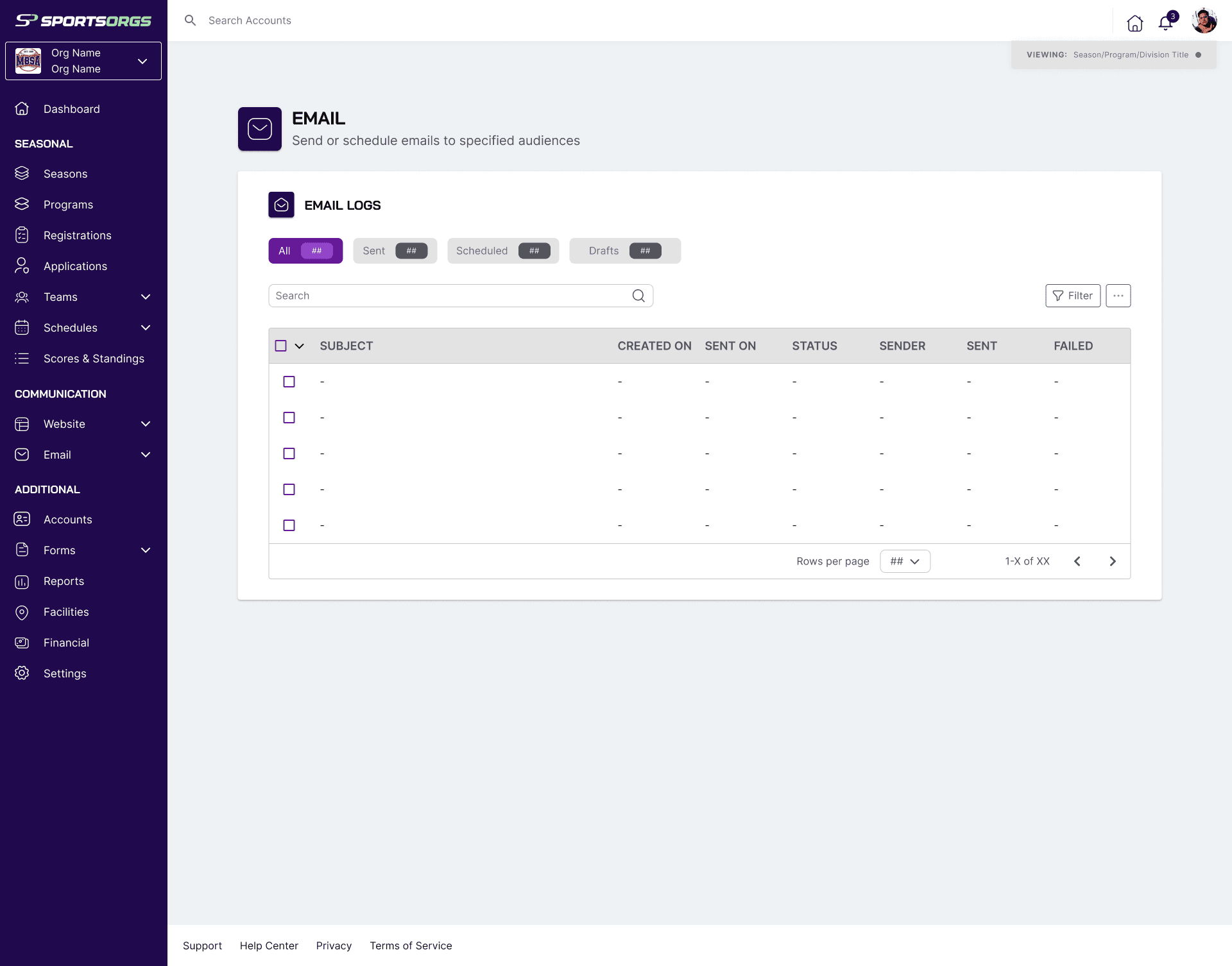
Allows admins to quickly and easily send out mass emails to their desired audience
Users can create custom templates and make use of integrated AI to further expedite and automate the email process.
Due to timeline constraints to develop our MVP, integrated mass text messaging within SportsOrgs was moved to a future phase.
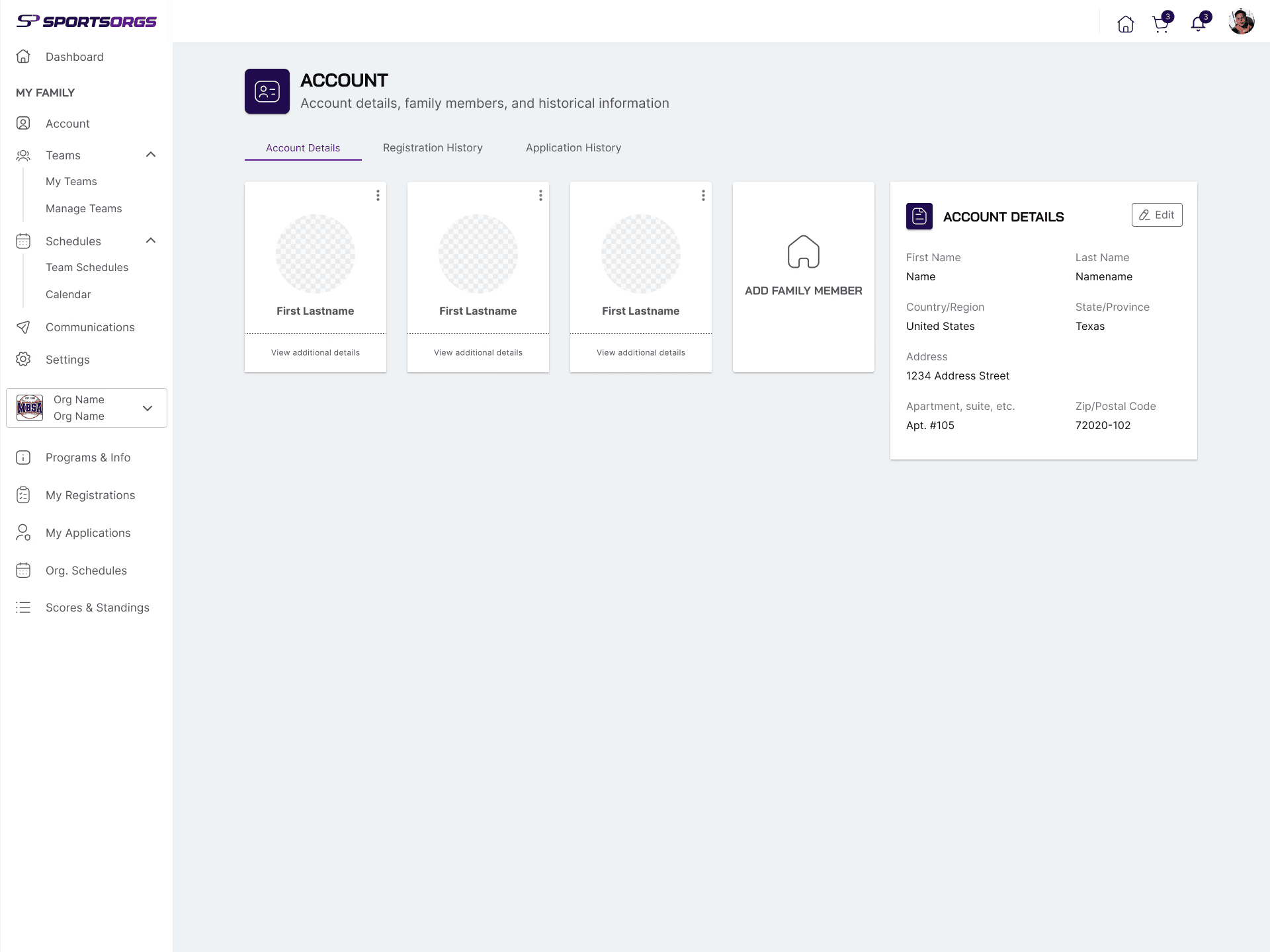
Additional Screens

Final Thoughts
Outcomes + Future Phases
Within 9 months, we achieved our MVP for SportsOrgs and have begun development.
Due to the expedited timeline of creating SportsOrgs there were a few features that were left out of the MVP but that will be designed as Version 1.0 is being developed. These features include:
Player Evaluations: A method to conduct skill evaluations of players within the SportsOrgs app that synergizes with team formation.
Email Distribution Lists: Customized lists that allow for efficient, targeted communication of important emails.
Text Messaging: Mass distribution of text messages to send out news, updates, and alerts.
Multi-Org Scheduling: Allowing for scheduling of family members that may be split between different organizations.
Areas for Improvement
User Testing: Due to the rapid nature of designing SportsOrgs we were unable to conduct extensive user testing. Once the MVP completes development this will be a primary focus.
Expanding Accessibility: I took efforts to ensure text and color standards that aligned with WCAG standards, but there is always room for improvement and adding features such as alt text to maximize accessibility.